
How to Update Contract Information on Zafago Portal
Zafago Portal Contract Information allows users to provide and maintain the customer details associated with their Portal account. The process is completed directly from Settings, where users can choose their customer type, enter the required information, submit the form, and later check the contract review status.
Keeping this information accurate is particularly important because Zafago Portal connects advertising account management with financial activities, transactions, billing, and other operational features in one environment.
Zafago Portal Contract Information is available under Settings
The Contract information section is located inside Zafago Portal Settings. Users can access it from the profile menu in the upper-right corner of the Portal. The page contains the customer type selection, required identification and contact fields, and the Update button used to submit information.
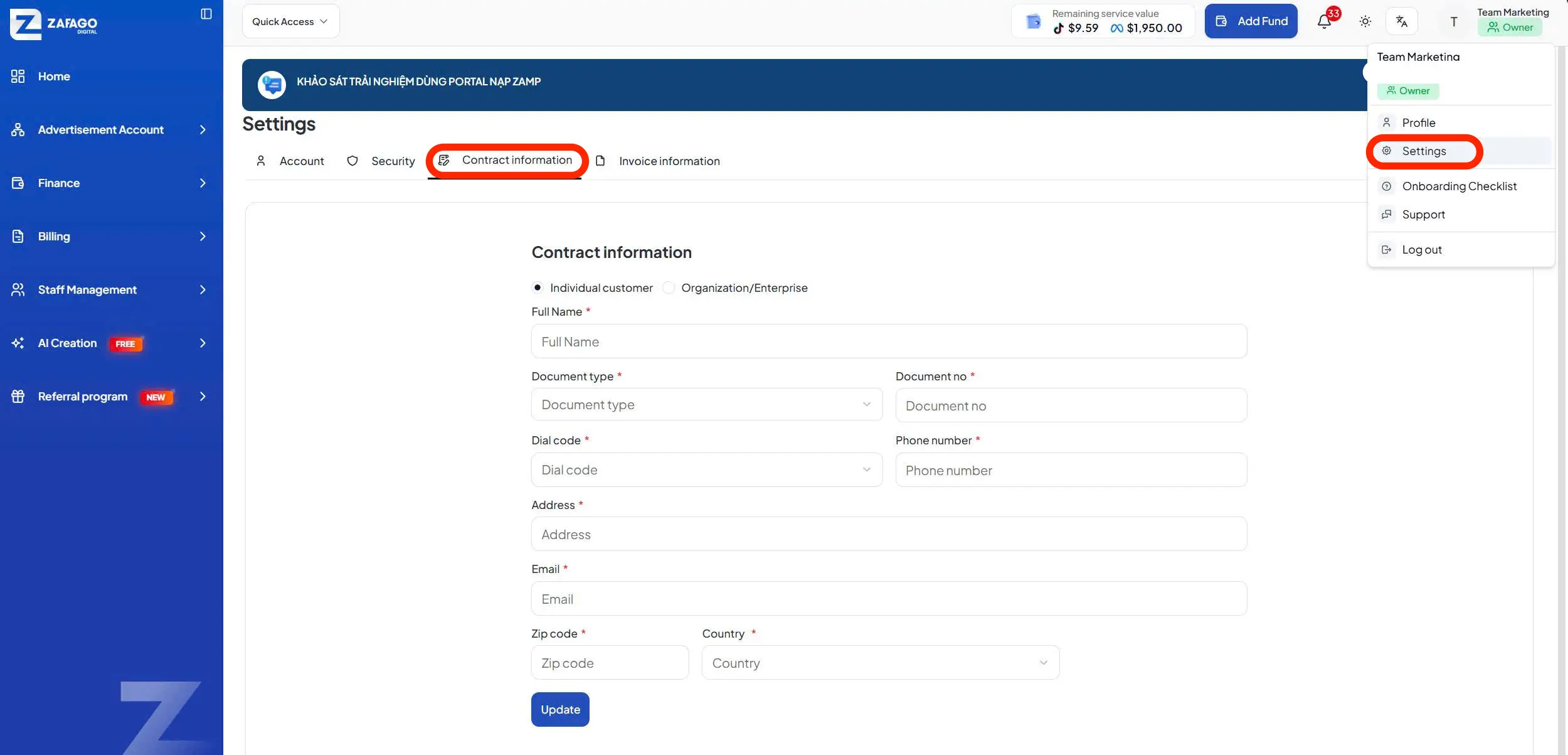
Follow these steps to access it:
Step 1: Open your profile menu in the upper-right corner.
Step 2: Select Settings.
Step 3: Select the Contract information tab.
The Settings area also contains other account-related sections such as Account, Security, and Invoice information, so make sure Contract information is selected before entering your details.
Zafago Portal supports two contract customer types
Zafago Portal allows users to choose between Individual customer and Organization/Enterprise. Selecting the correct customer type ensures that the information submitted to the system corresponds with the person or organization using the Portal account.
The two available options are:
- Individual customer: For users registering contract information as an individual.
- Organization/Enterprise: For companies and organizations.
Users should select the appropriate option before completing the form because the required information may differ depending on the selected customer type.
If an existing contract is changed from Individual customer to Organization/Enterprise, or vice versa, Zafago Portal will request confirmation before proceeding.
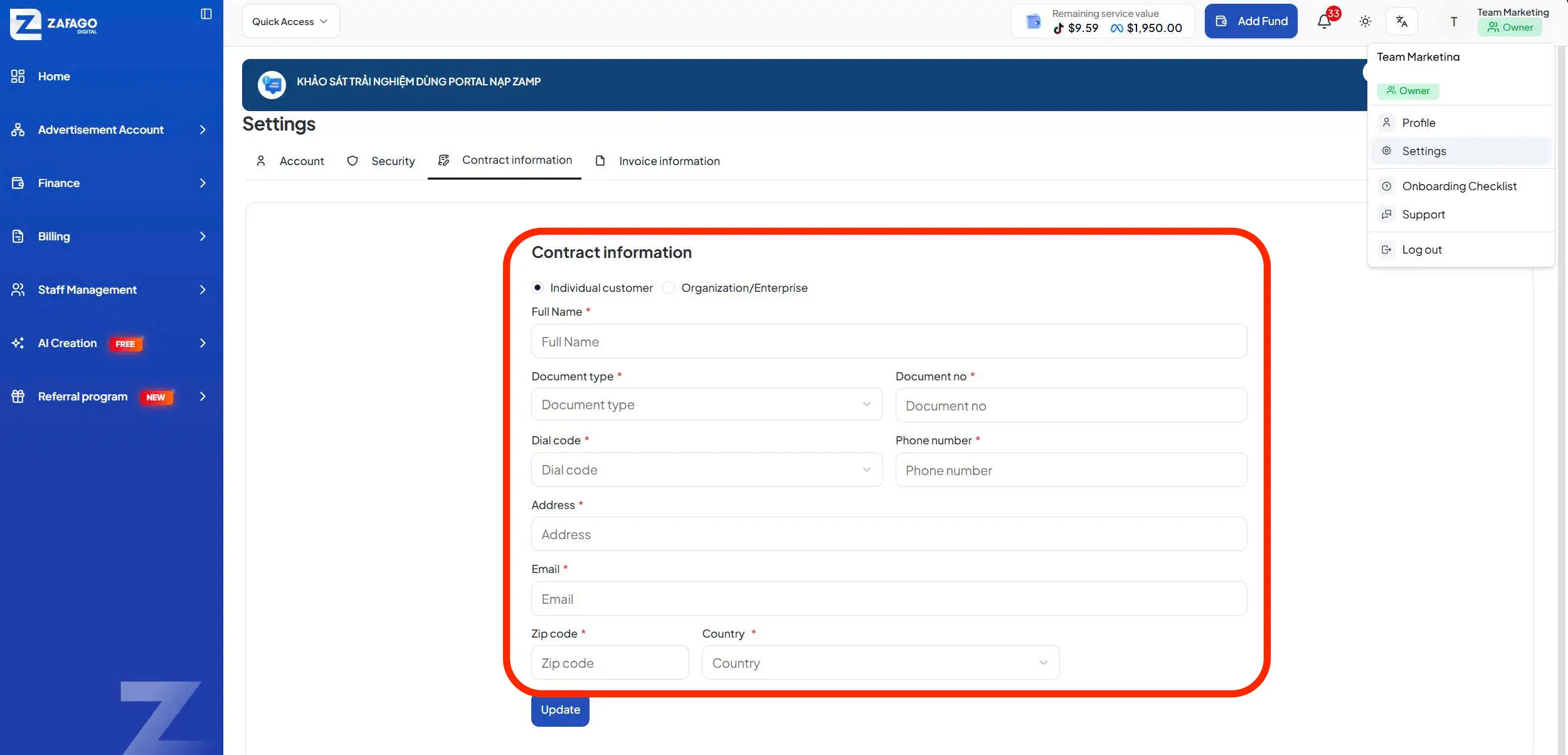
Individual customers complete the required identification details
Individual customers need to complete all mandatory identification and contact fields displayed in the Contract information form. Fields marked with an asterisk (*) are required and should be reviewed carefully before selecting Update.
For an Individual customer, the current Portal interface requires:
| Required field | Information to provide |
|---|---|
| Full Name | Customer’s full name |
| Document type | Select the appropriate document type |
| Document no | Enter the document number |
| Dial code | Select the country calling code |
| Phone number | Enter the contact number |
| Address | Enter the current address |
| Enter the contact email | |
| Zip code | Enter the applicable postal code |
| Country | Select the country |
After completing the required fields, review the information and click Update to submit it to Zafago Portal.
Existing Contract Information requires confirmation before updating
Zafago Portal displays a confirmation notification when users attempt to modify Contract Information that has already been saved. This step helps prevent existing customer information from being changed accidentally.
After selecting Update, users can choose:
Cancel: Stop the process and keep the current Contract Information unchanged.
Confirm: Submit the updated information and send it through the system review process again from the beginning.
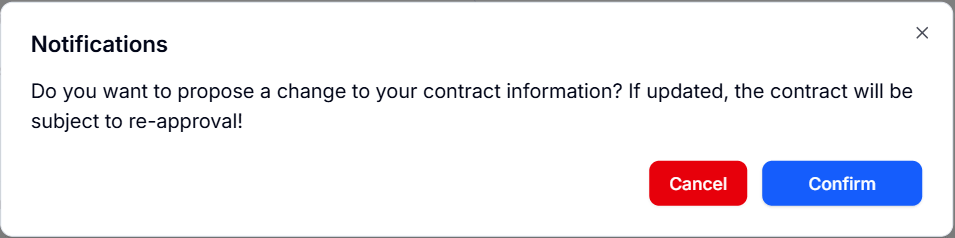
A similar confirmation appears when changing the contract type between Individual customer and Organization/Enterprise. Selecting Cancel keeps the existing type, while Confirm proceeds with the change.
Contract status shows the current review progress
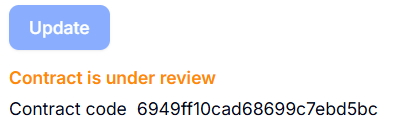
After submitting Zafago Portal Contract Information, users should return to this section periodically to monitor the review process. The contract status appears below the Update button and uses three colors to communicate its current state.
Orange indicates that the contract is under review.
Green indicates that the contract has been approved.
Red indicates that the contract has been rejected. When this happens, the system also provides a rejection reason so users can identify what needs to be reviewed or corrected.
Keeping Contract Information current gives users a clearer foundation for using the wider Zafago Portal ecosystem, including advertising account management, Zafago Portal Finance, transaction management, and billing features.
Conclusion
Updating Zafago Portal Contract Information is a simple but important step for keeping your account details accurate and up to date. Select the correct customer type, complete all required fields, review your information before submission, and regularly check the contract status. Once approved, you can continue using Zafago Portal features with properly verified account information.
FAQ
Contract Information can be updated directly from Zafago Portal
Open the profile menu, select Settings, and then choose Contract information. Complete the required fields and select Update to submit the information.
Individual customer information includes identification and contact details
Individual users currently need to provide Full Name, Document type, Document no, Dial code, Phone number, Address, Email, Zip code, and Country.
Existing Contract Information can be changed after confirmation
Yes. When existing information is edited, Zafago Portal displays a confirmation notice. Confirming the change submits the information for review again.
Contract status is displayed with three color indicators
Orange means under review, green means approved, and red means rejected. If the contract is rejected, users can review the reason provided by the system before updating their information.
ZAFAGO GLOBAL – Digital Growth Partner
Zafago Global is a Performance Digital Marketing Agency dedicated to partnering with businesses to optimize strategies and drive sustainable revenue growth.