
How to Create An Avatar Video AI With Zafago Portal
Creating a presenter-style video no longer requires filming every piece of content from scratch. With Avatar Video AI in Zafago Portal, users can turn a written script into a video presented by an AI avatar with synchronized voice and lip movement.
The feature is part of the Zafago Portal AI Creation toolkit and is designed for practical content needs such as product introductions, advertising creatives, presentations, training materials, and localized content.
Zafago Portal turns a written script into an AI avatar video
Zafago Portal Avatar Video AI allows users to create presenter-style videos by combining an AI avatar, written script, and selected voice. The avatar presents the provided content with synchronized speech and lip movement, giving advertisers a faster alternative when a real presenter or new video recording is not required.
The workflow is straightforward: select the presenter, provide what the presenter should say, configure the voice, and let the system generate the video.
This makes the feature particularly useful when teams need several video variations or regularly produce similar product and advertising content.
Step 1: Select an AI avatar from the library
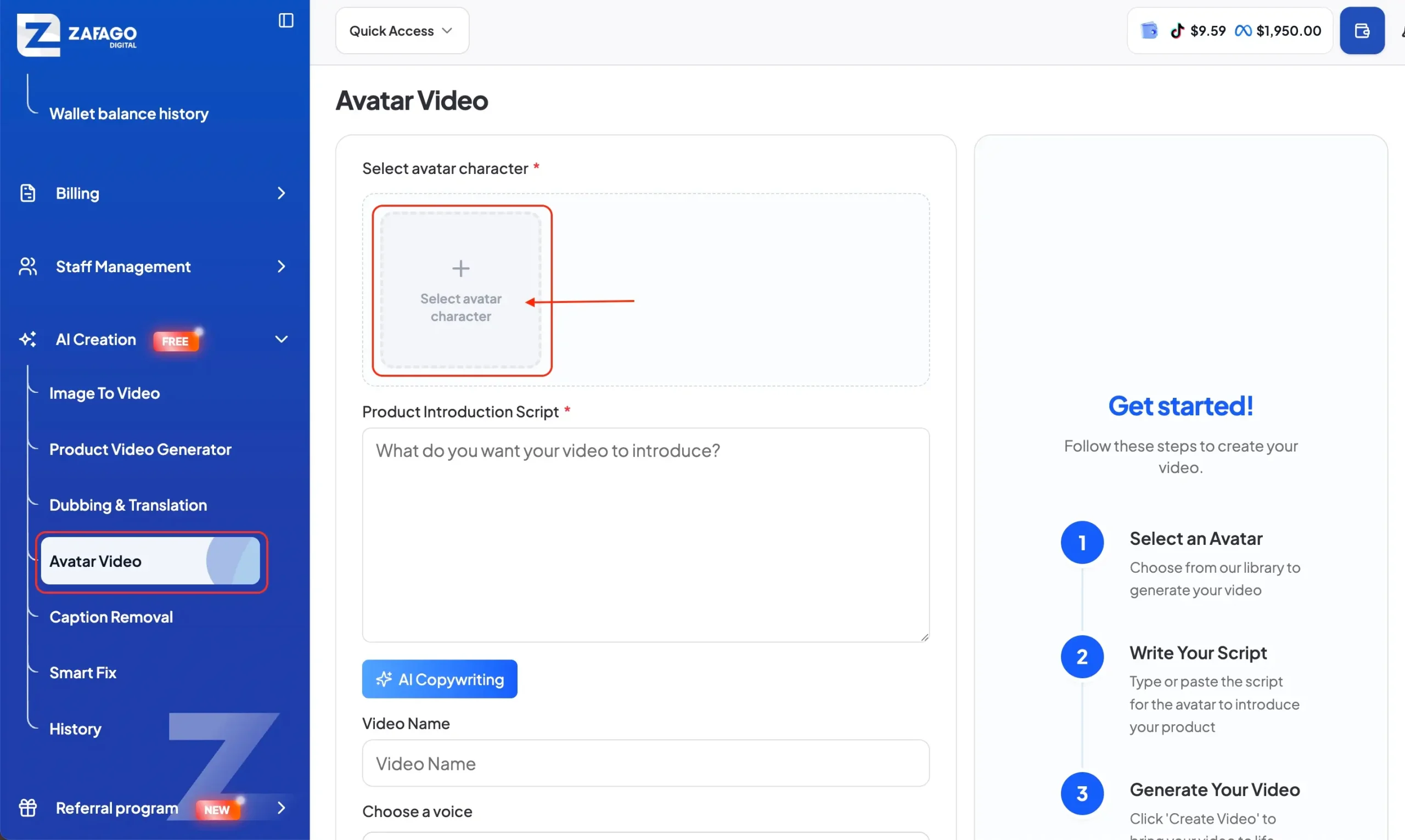
Open AI Creation > Avatar Video from the Zafago Portal sidebar.
In the Select avatar character section, choose an available AI avatar to act as the presenter in your video.
The avatar becomes the visual speaker for the script you provide. When selecting one, consider how the presenter fits the purpose of your content. A product introduction, internal training video, and advertising creative may require different presentation styles.
Step 2: Enter the script for the AI avatar
Enter or paste your content into the Product Introduction Script field.
This text determines what the avatar will say in the generated video. You can write a product introduction, promotional message, educational explanation, presentation, or another short-form script depending on your objective.
For advertising content, keep the script focused on one core message. Instead of explaining every product feature, prioritize the benefit or message viewers should remember.
Zafago Portal also provides an AI Copywriting option within the Avatar Video workflow, which can assist with preparing content when needed.
Step 3: Configure the video name and voice
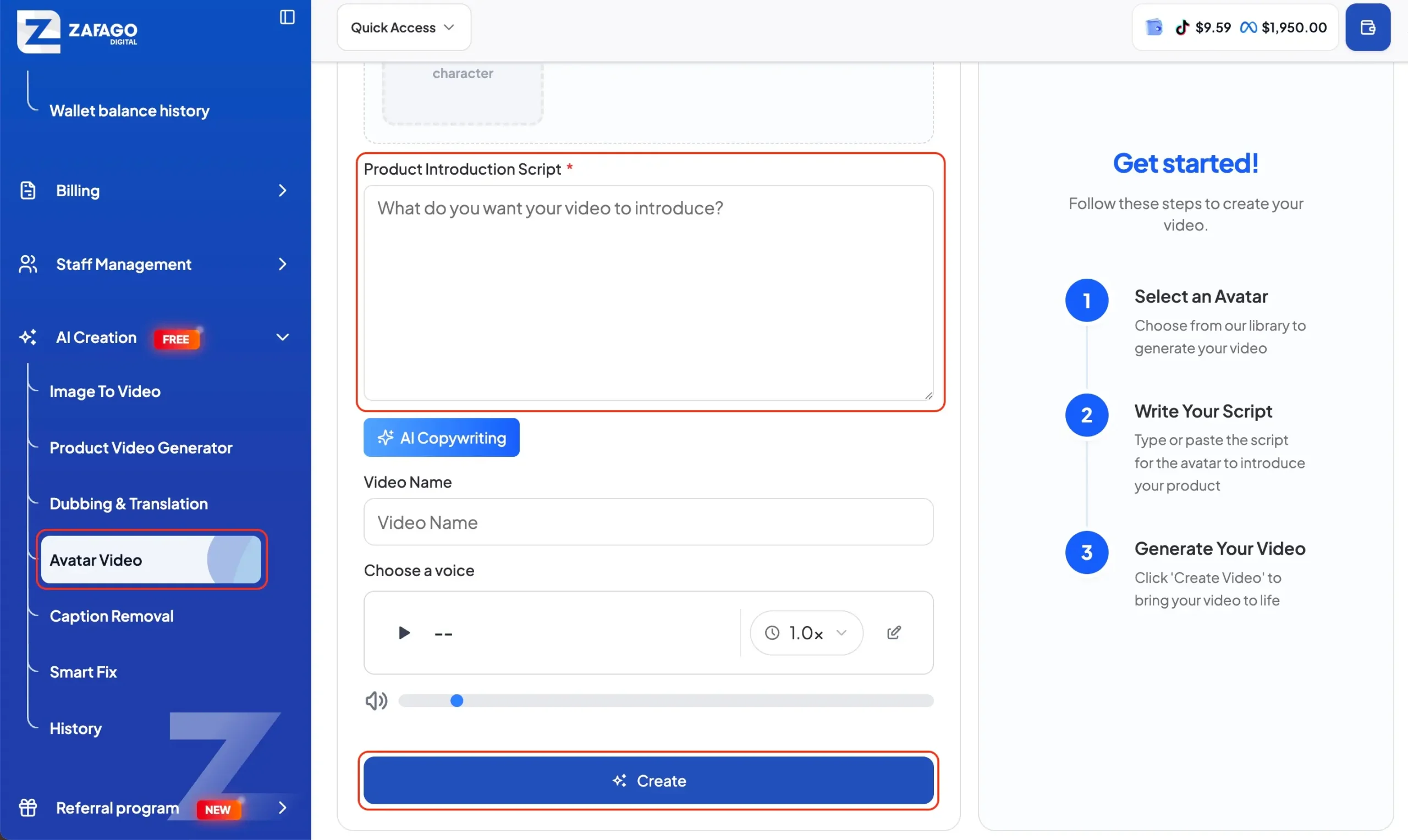
Add a Video Name so the generated asset can be identified more easily later.
Next, choose the available voice settings for the avatar. This is an important step because the selected voice influences how the final presentation sounds and works together with the avatar’s lip-sync.
Preview the available voice where possible before generating the final asset, particularly when creating customer-facing content.
Step 4: Create the Avatar Video AI
Review the avatar, script, video name, and voice settings. Once everything is ready, click Create at the bottom of the page.
Zafago Portal will process these inputs to generate the AI avatar video.
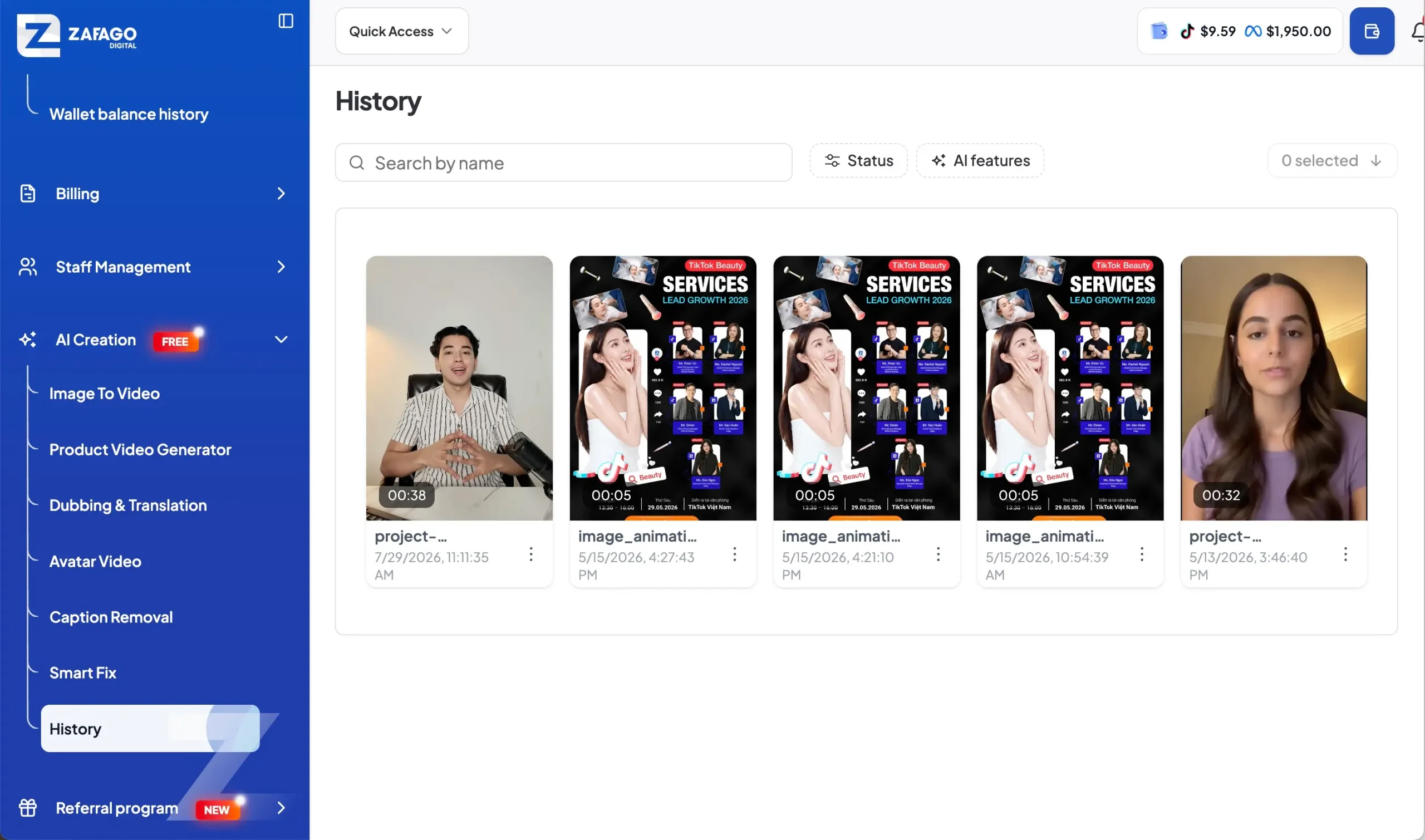
After generation, users can manage created content through the History area of AI Creation. This provides a more convenient workflow when several creative assets are being produced instead of treating each generated video as an isolated file.
Avatar Video AI supports faster advertising content production
Avatar Video AI is useful when businesses need presenter-style content without recording a new person for every video variation. It can support product introductions, advertising creatives, presentations, training content, and market-specific video versions while remaining connected to the wider advertising workflow available through Zafago Portal.
For advertisers, the feature can also work alongside other AI Creation tools available in the Portal, including Image to Video, Product Video Generator, Dubbing & Translation, Caption Removal, and Smart Fix.
This means a creative workflow does not necessarily stop after an avatar video is generated. Teams can use different AI tools depending on whether they need to create, adapt, translate, or improve video assets.
For businesses already managing advertising through Zafago, this connects creative production more closely with services such as Rent TikTok Agency Ad Account and TikTok Advertising Account Management, rather than separating creative and advertising operations across unrelated workflows.
Avatar Video AI provides a simple three-part creation workflow
The core process is simple: select an avatar, provide the content, and generate the video. Additional settings such as voice selection and video naming help users prepare the asset before creation.
For teams producing advertising content frequently, the practical value is speed and repeatability. Instead of organizing a new recording every time a script changes, teams have another option for turning written ideas into presenter-style video assets directly inside Zafago Portal.
ZAFAGO GLOBAL – Digital Growth Partner
Zafago Global is a Performance Digital Marketing Agency dedicated to partnering with businesses to optimize strategies and drive sustainable revenue growth.